

How to send an Invoice with Payment link
After your client has ordered a service or booked a room, you can send him or her an email with the invoice. To provide your guest with the opportunity to pay contactless, it will contain a link for payment through Stripe.
The convenience of this function lies in the speed of all operations and the absence of extra paperwork. To send an invoice to a client, follow these instructions:
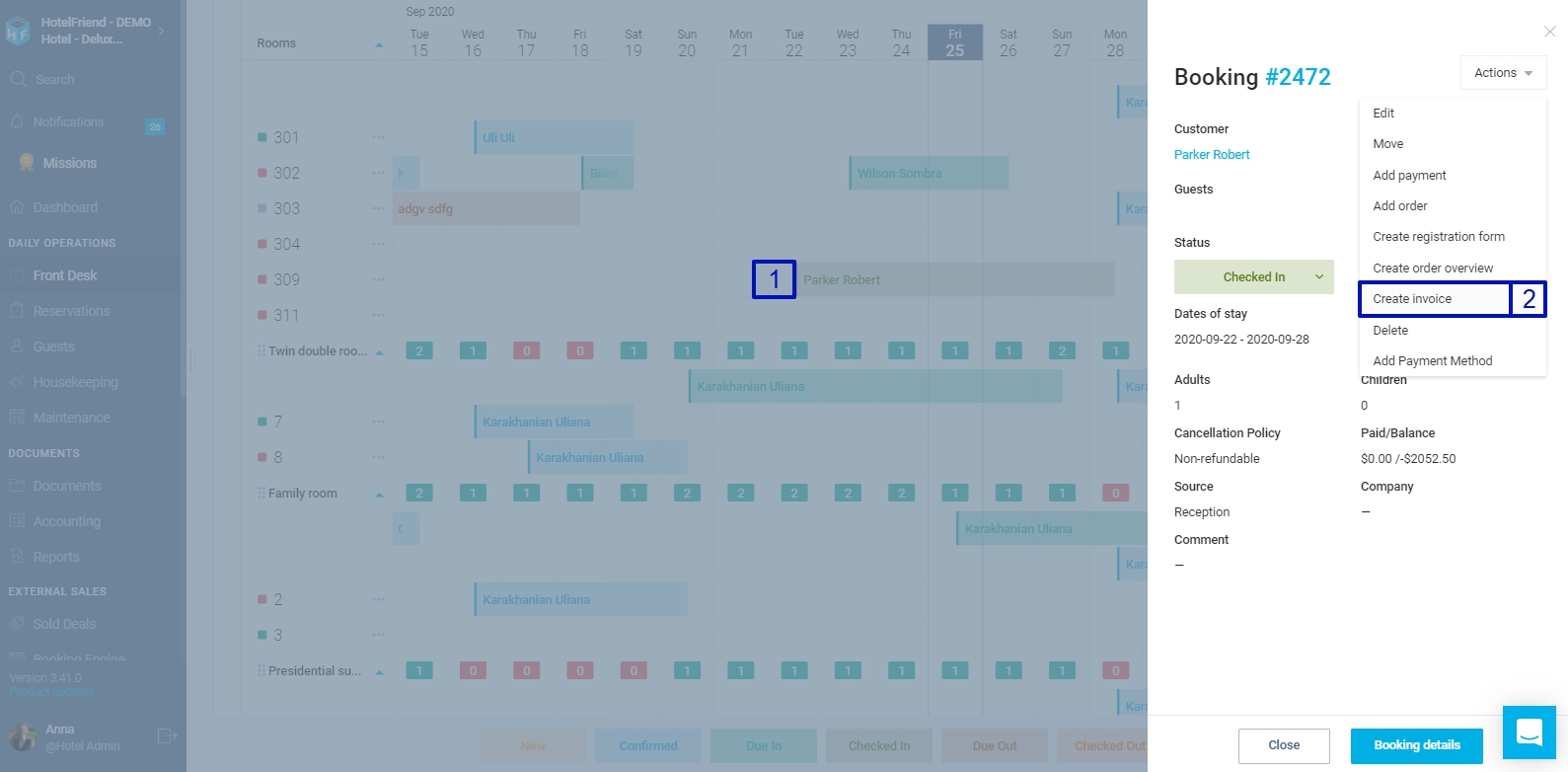
- In the Front Desk, select the booking for which you want to create an invoice and click on it;
- Choose the “Create invoice” option in the new window;
- Choose the services that were ordered by the guest, and add them to the invoice;
- Click on the “Create and Send invoice to Guest” button.
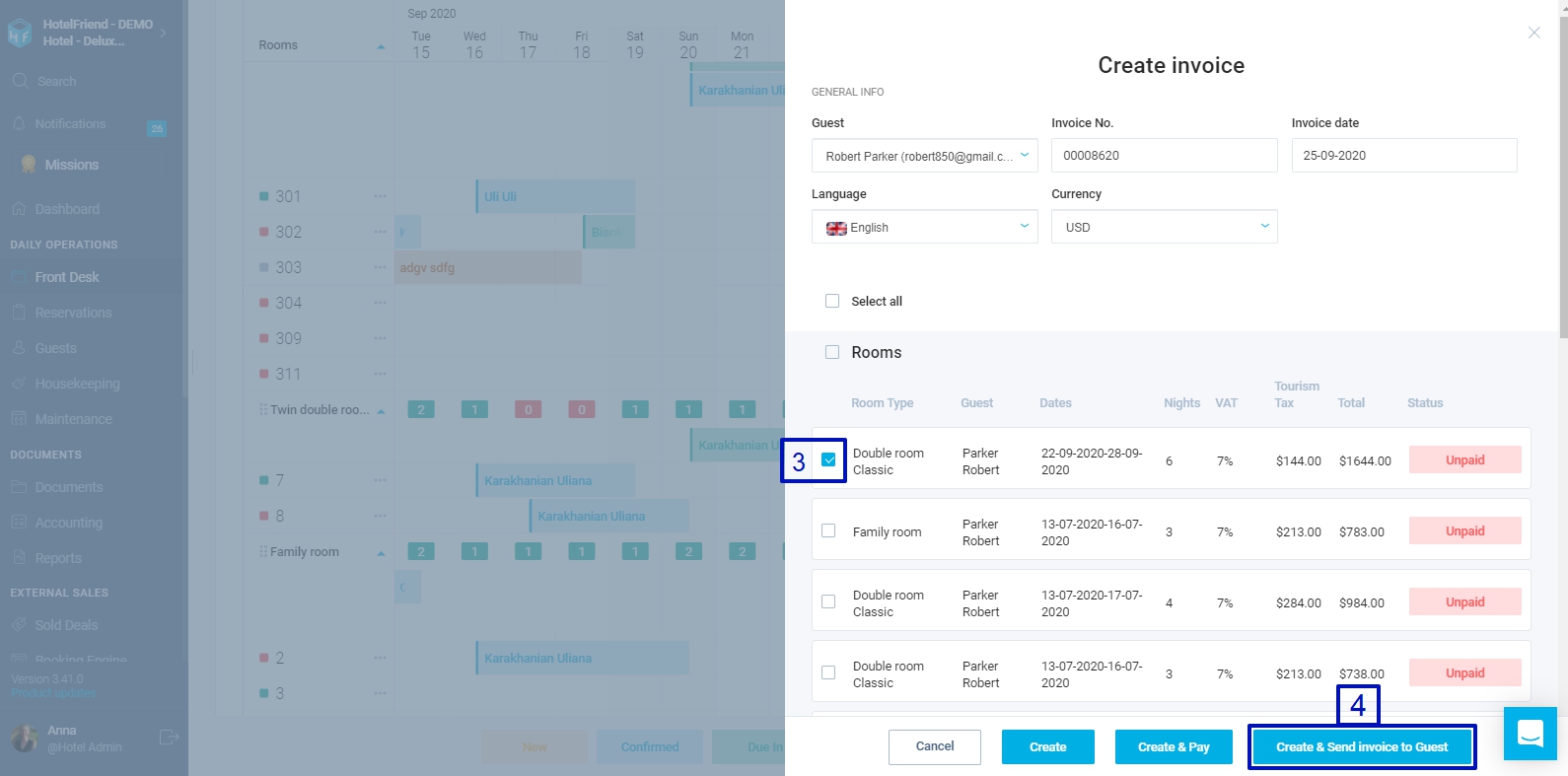
The system will send an invoice with an active link for online payment to the email specified in the booking card. You can send an invoice to a guest from a guest's booking card as well.
IMPORTANT: Please note that for this feature to be available, you must connect your Stripe account in settings, in the Payment Methods section.
