
How to use the housekeeping features
Get an overview of the cool housekeeping features of our hotel management software to organize all the work processes in the best way .
In the Front Desk
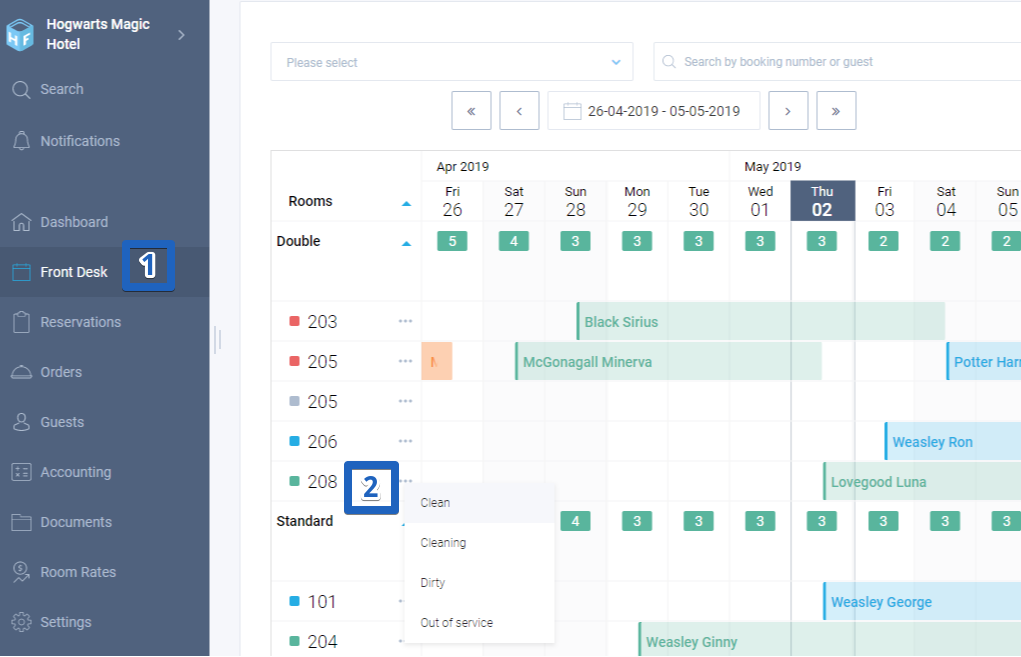
- Go to the "Front Desk".
- In the "Rooms" column, there is a menu in front of each room name, where you can change the room status: Clean, Cleaning, Dirty, Out of service. The square's color (indicator) changes according to the status.
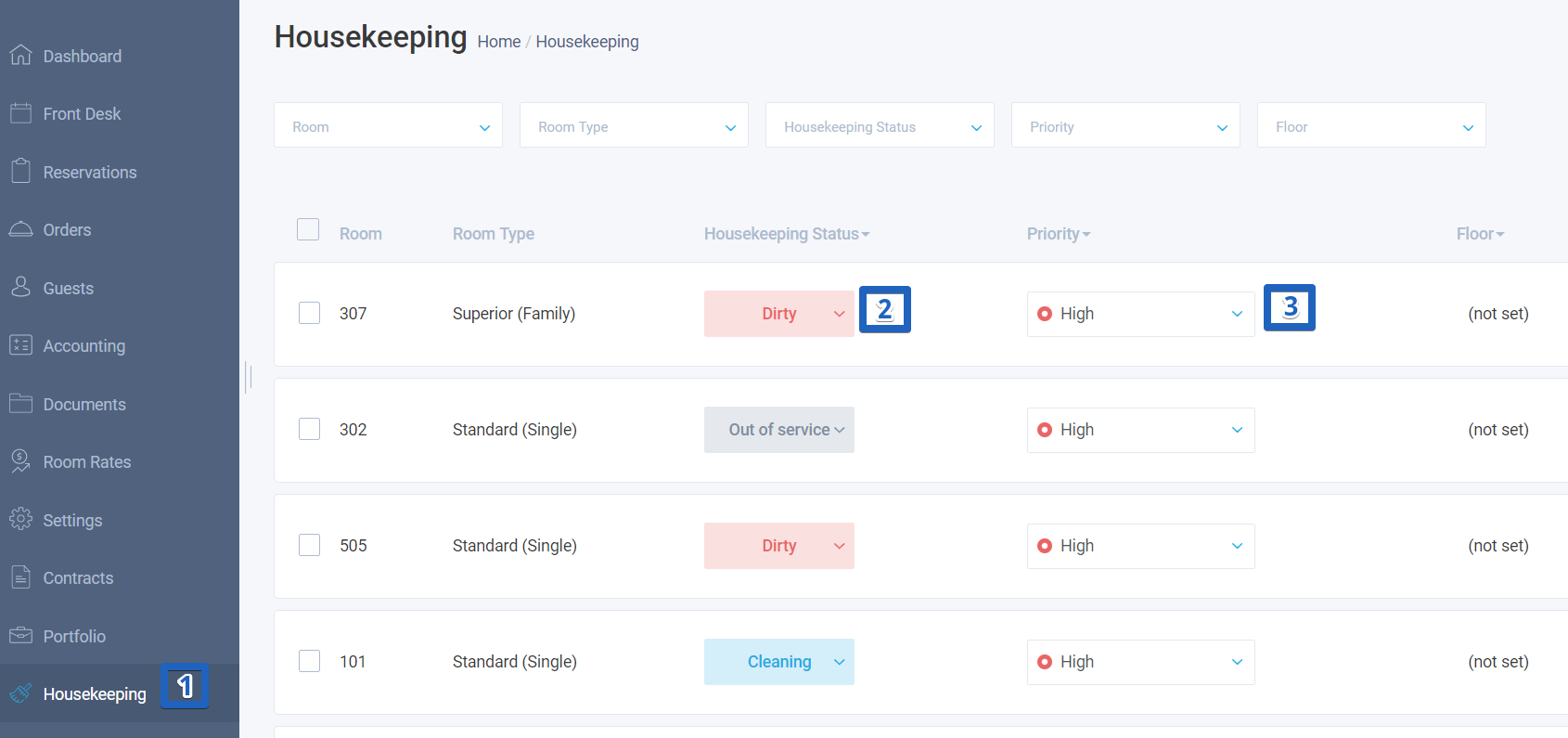
- Go to the "Housekeeping" module.
- Using the filters Room, Room Type, Housekeeping status, Priority, and Floor, you can sort rooms.
- In the "Housekeeping status" bay, you can change a room status to Clean, Cleaning, Dirty, Out of service.
- In the "Priority" bay, you can change a priority status from Low to High.
In the Housekeeping
Please, note that you can't create a booking for rooms with the "Out of service" status.