
Product Updates v4.28: Enhanced Reservation Management, Flexible Tax Handling, Event-to-Invoice Automation, Smarter Booking Engine Controls, and Improved Reporting & Operational Visibility
Explore Product Update v4.28 with enhanced reservations, flexible tax handling, event-to-invoice automation, smarter booking controls, and improved reporting.
Apr 28, 2026 3:03 PM
This time we focus on improving operational visibility, simplifying reservations and group bookings, giving hotels more flexible control over taxes and sales channels, and making invoicing, event handling, and reporting more automated and intuitive across the platform.
Reservations & Room Management
1. New “Accommodation” column in Reservation module
A new Accommodation (Occupancy) column has been added to the Reservation module, showing the current number of guests per room in real time. Previously, this information was only available in the Housekeeping module, requiring users to switch views. This update improves operational visibility directly within reservations.
2. Expanded guest limits for group bookings
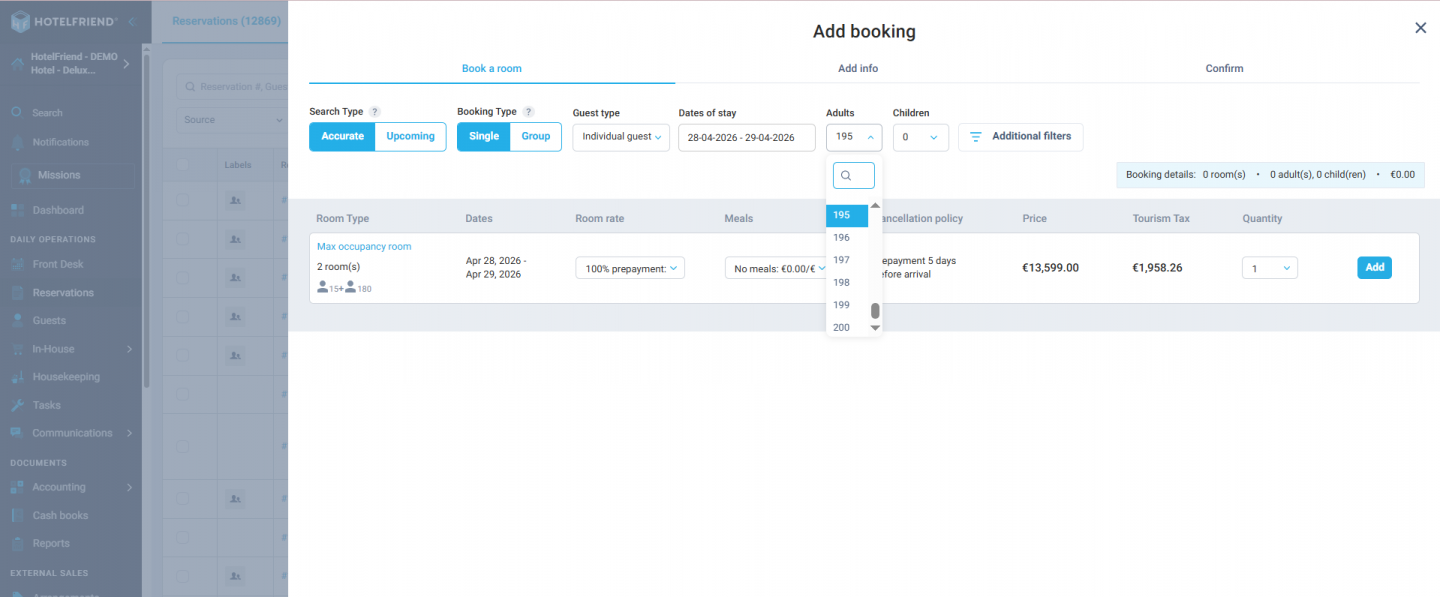
Reservation capacity has been significantly increased to support large-scale bookings. The system now allows up to 200 adults and 80 children per reservation (previously limited to 10 children). This enhancement ensures accurate handling of group stays, family bookings, and event-related accommodations.
3. Redesigned children’s age & quantity selector
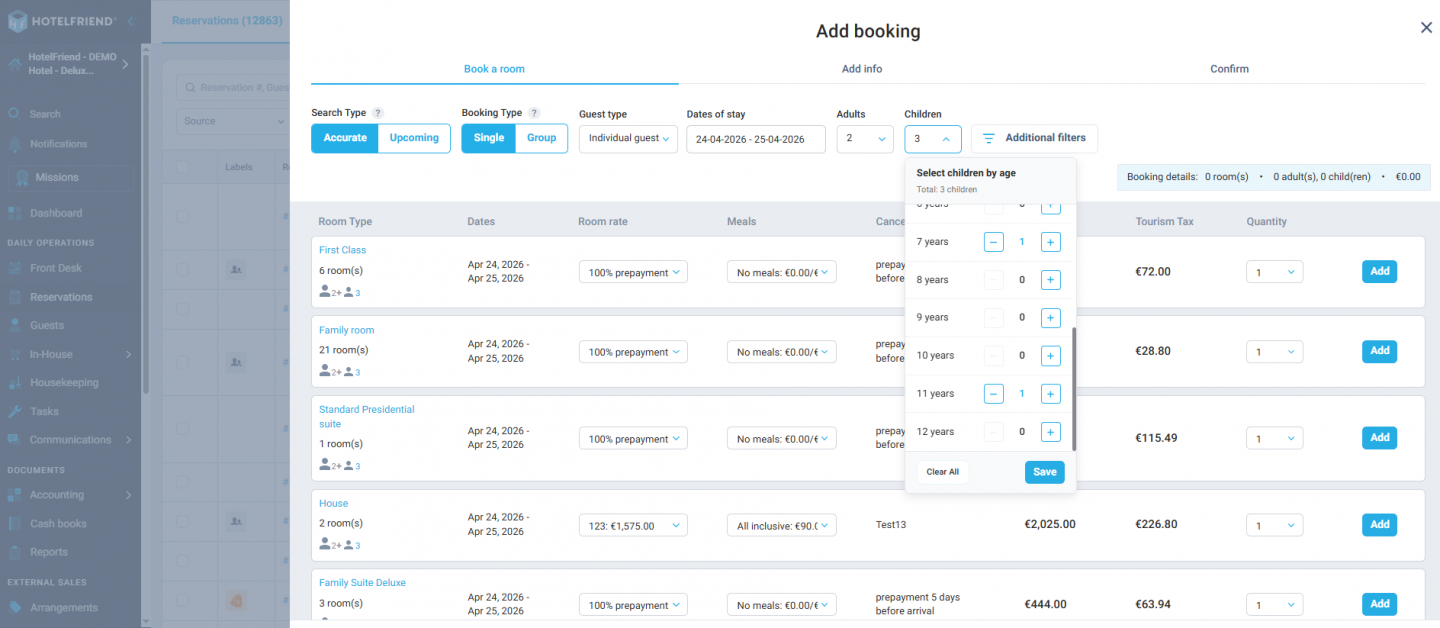
The children’s input experience has been redesigned across the portal. A unified dropdown now combines both the number of children and their age groups, providing a clearer and more intuitive interface. This reduces input errors and improves data consistency during booking creation.
Invoicing, Payments & Tax
4. Improved City Tax handling in prepayments
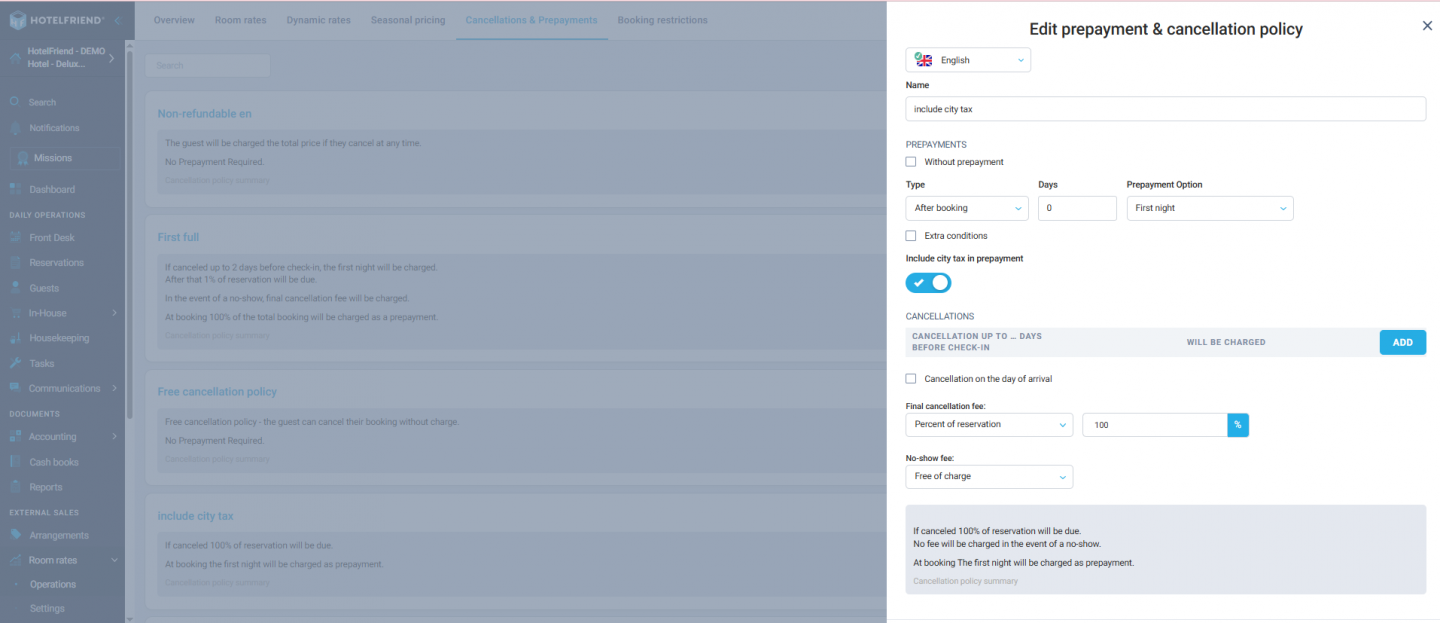
A new configuration option allows hotels to control how City Tax is treated in prepayments. Within Room Rates → Cancellations & Prepayments, users can now choose whether City Tax is included or excluded from prepayment calculations.
If included: City Tax is shown as a separate line item on invoices and included in prepayment totals.
If excluded: City Tax is not part of the prepayment amount.
Regardless of configuration, City Tax is always fully refunded in case of cancellation or no-show. Previously, City Tax handling was inconsistent between the Booking Engine and reception invoices.
In-house: Events & Orders
5. Direct invoicing from Events
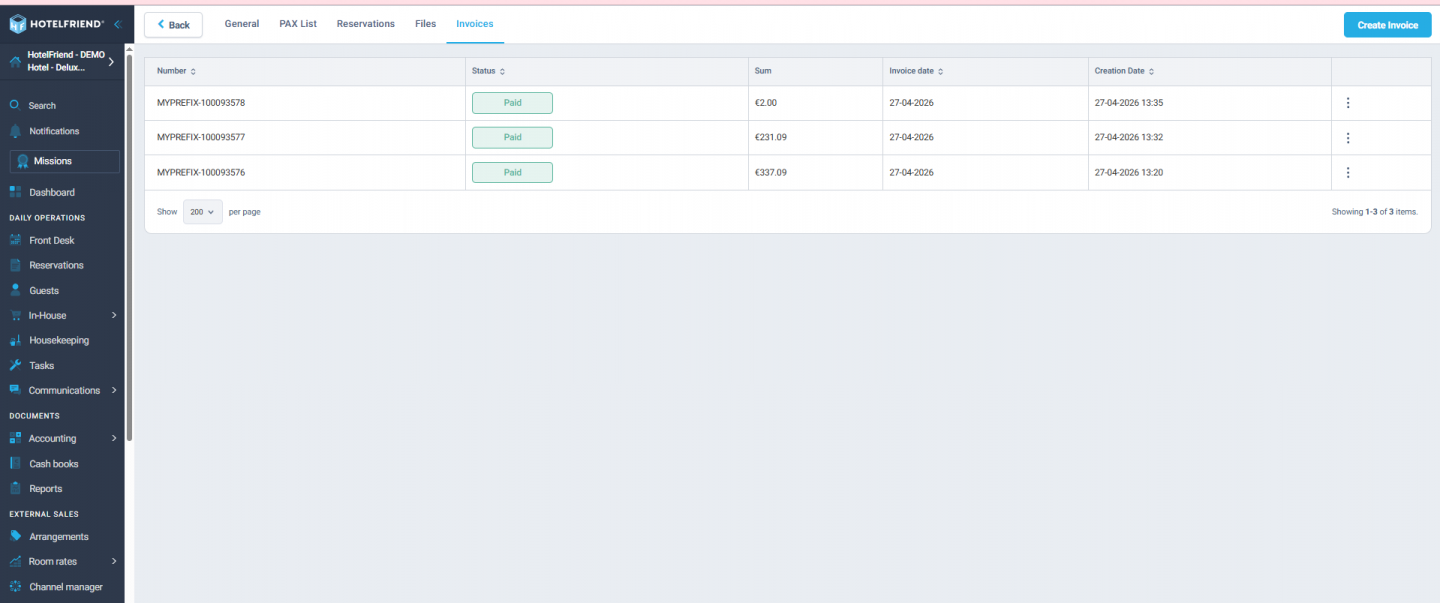
Users can now generate invoices directly from an Event record. All linked charges are automatically pulled into the invoice, eliminating the need for manual recreation of charges in other modules. This significantly streamlines event billing workflows and reduces administrative effort.
Booking Engine & Packages
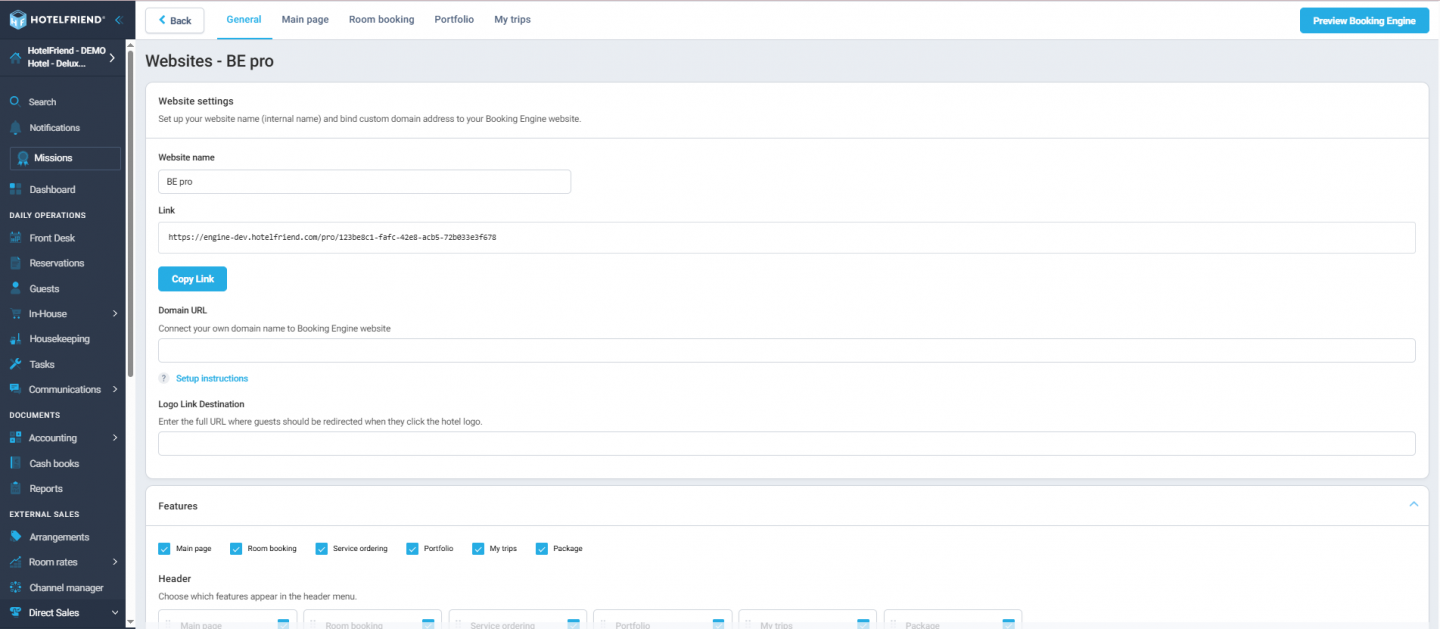
6. Quick Preview for Booking Engine Pro sources
A new Preview button has been added to all Booking Engine Pro sources. Hoteliers can now instantly open and review the live booking page with a single click, eliminating the need to manually copy and paste URLs.
7. Correct package pricing with included board meals
Package pricing logic has been improved. Meals that are part of a default board (e.g. breakfast) are now correctly included in the package price instead of being added as separate charges. This ensures guests always see transparent, all-inclusive pricing.
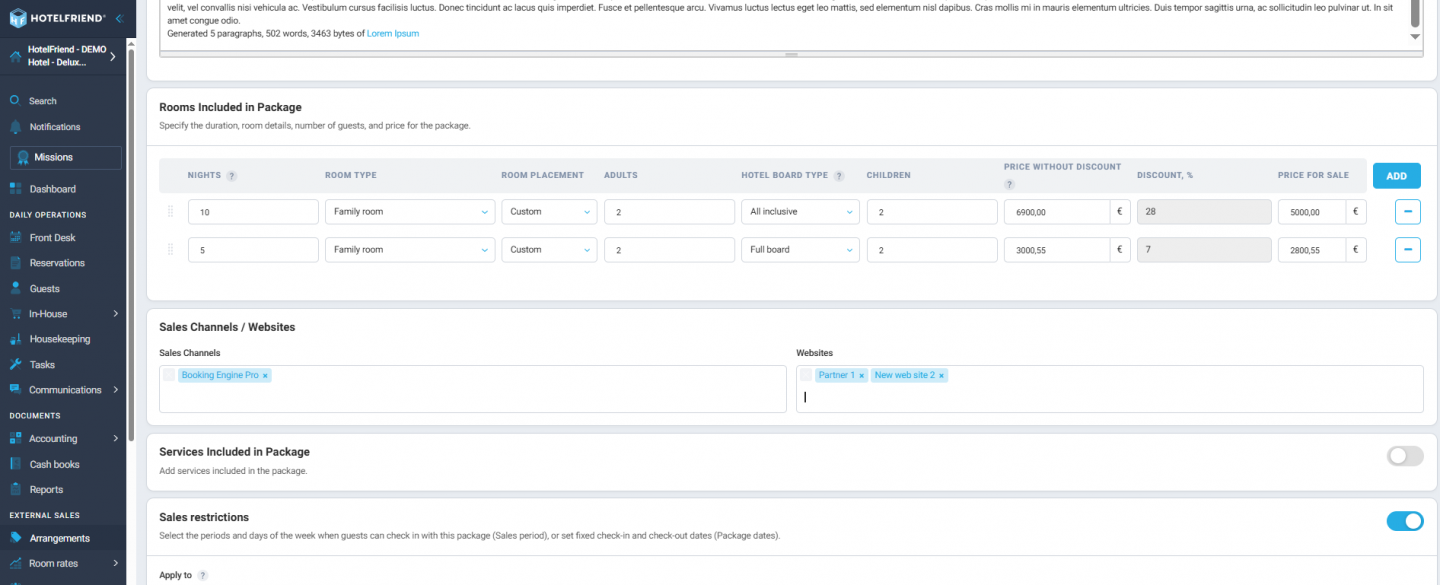
8. Enhanced control over sales channels for packages
Packages now include configurable Sales Channels / Devices settings, aligned with Services logic. The previous default assignment (Reception + Booking Engine) has been removed, giving hoteliers full control over distribution rules.
9. Soft limits for POS-integrated services
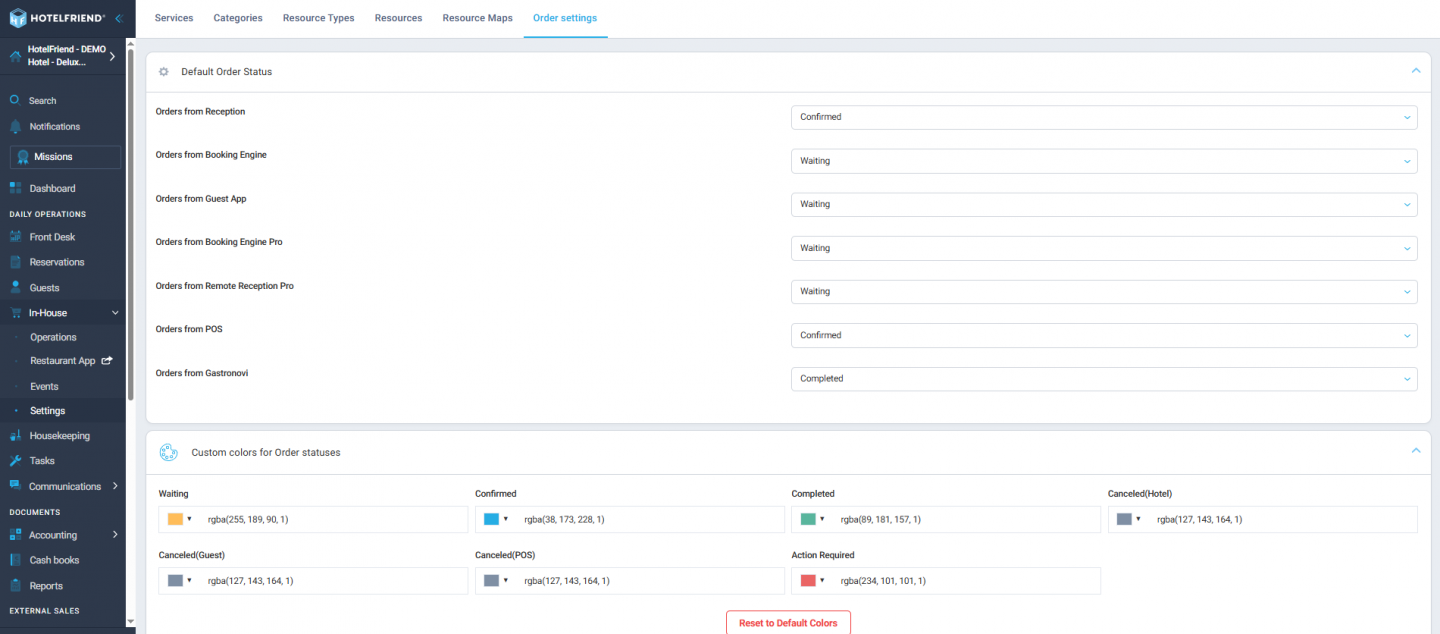
Services integrated via POS systems (e.g. Lightspeed) now operate with soft limits. Even when service stock reaches zero, orders continue to be processed, preventing interruptions caused by strict inventory enforcement.
Reports
10. Improved Kitchen Plan report layout
The Kitchen Plan report has been redesigned for better clarity and usability. Meals and Services are now visually separated, totals are more prominent, and a clear empty state is displayed when no data is available for the selected period.
Files & Notes
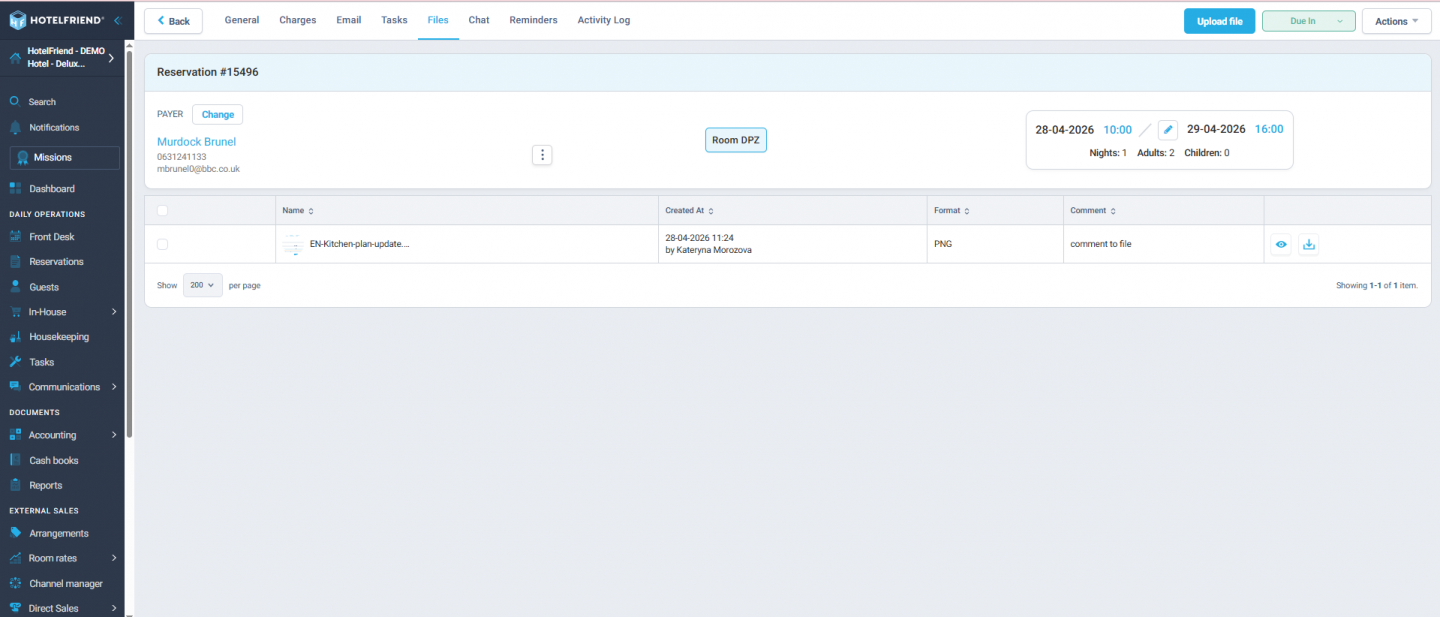
11. Extended Files tab across modules
The Files tab is now available in additional areas of the platform, including Reservations and Services. Uploaded files remain isolated within their respective modules, improving document organization and preventing cross-module confusion.
12. Improved Notes grid with “Relevant Period” column
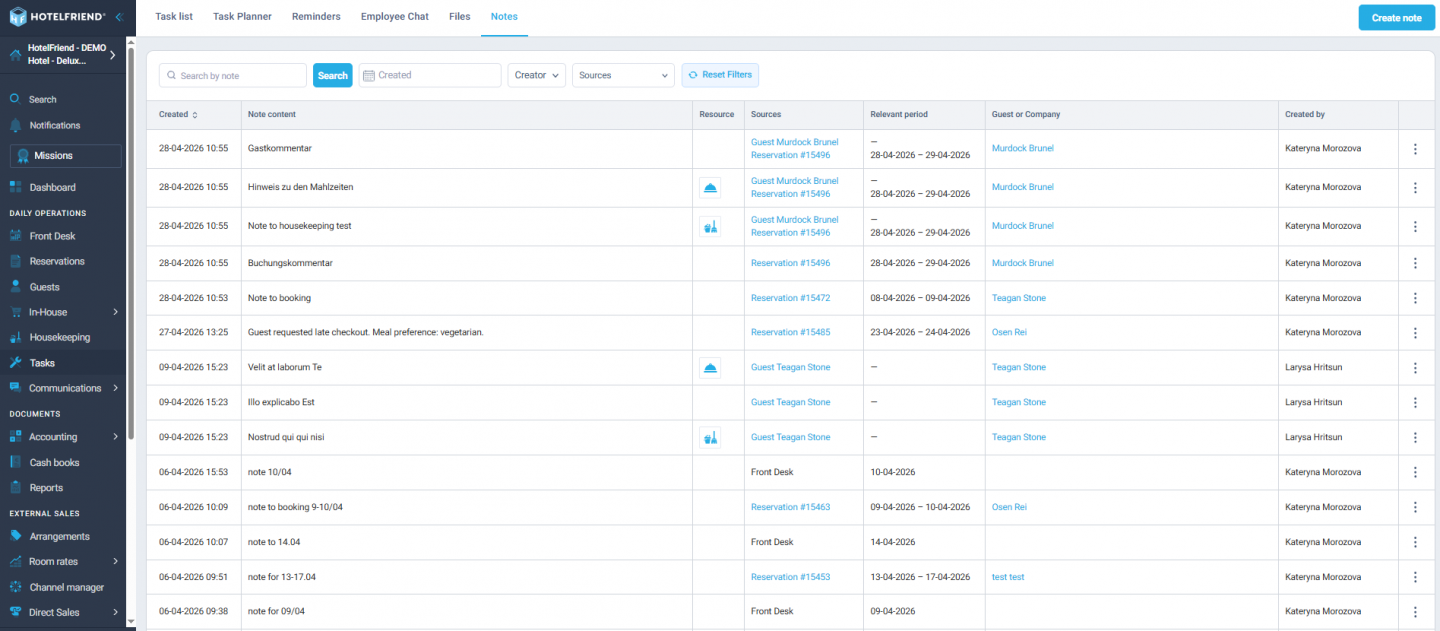
The Notes grid (Tasks → Notes) now includes a dedicated Relevant Period column, clearly showing the operational date associated with each note. Previously stored as unstructured text, this data is now standardized, filterable, and report-ready.
With Product Updates v 4.28, we’ve enhanced reservation management and occupancy visibility, introduced greater flexibility for handling taxes and group bookings, and streamlined invoicing directly from events. Booking Engine and package configuration now offer more control and transparency, while reporting, file management, and internal notes have been refined for better clarity and usability.
Learn more about the System Explore Pricing
