
This release gives hoteliers tighter control over room assignments and rate structures, brings monthly invoice automation for extended stays, and adds a flexible service revenue report. Several quality-of-life improvements round out the update.
1. Lock room — pin a reservation to its assigned room
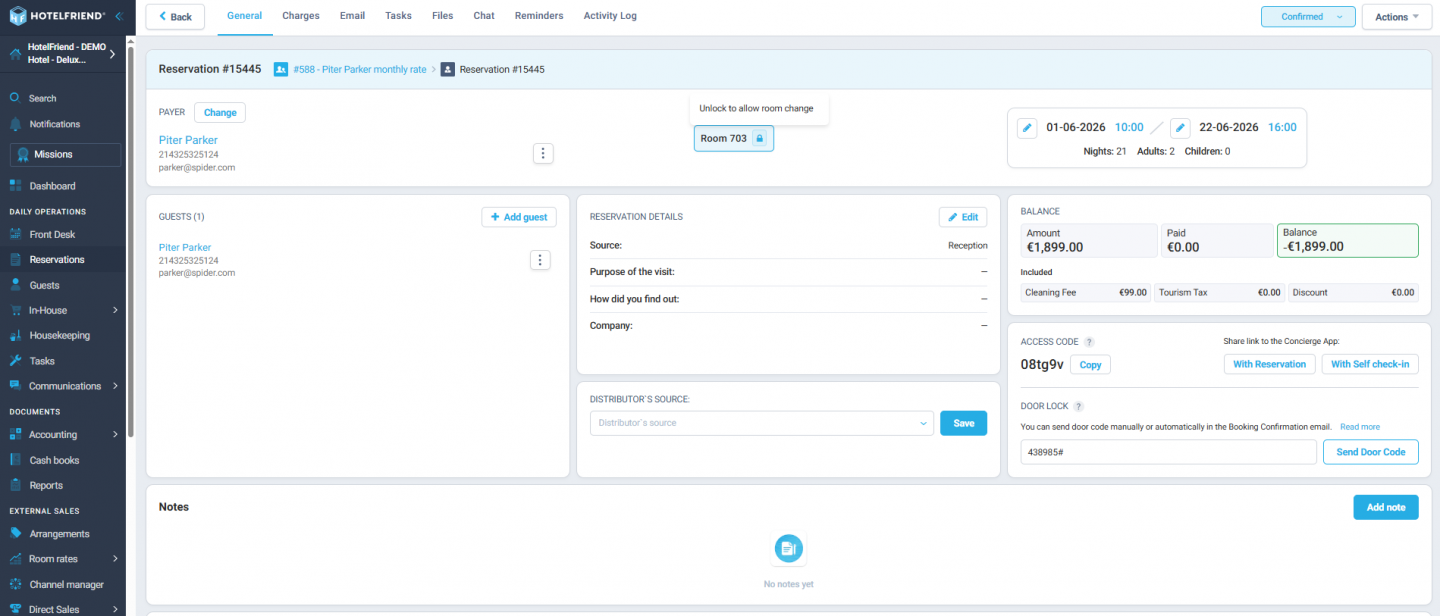
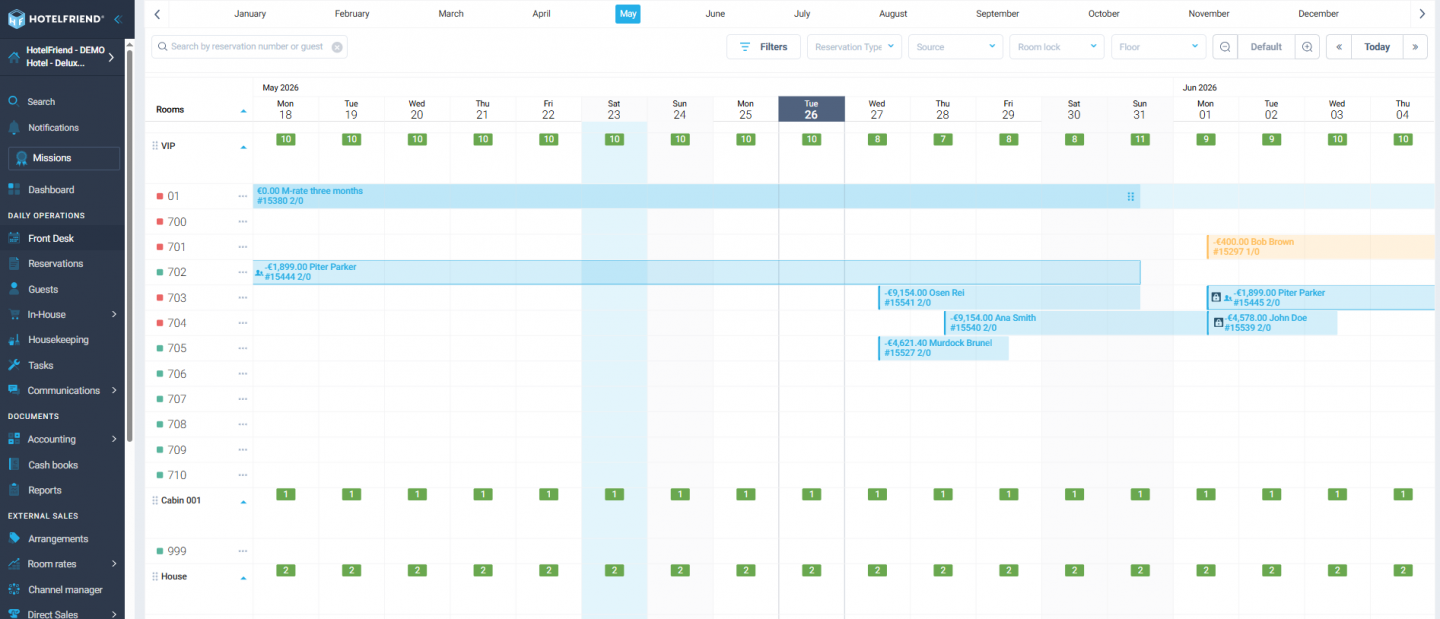
A new "Lock Room" toggle on the Reservation card, Add Booking, Add Package Booking, and Add/Edit Quick Booking modals lets hoteliers prevent any accidental room changes. Once enabled, the room cannot be swapped via modal edit or drag-and-drop on Front Desk, and a lock icon appears next to the reservation as a visual reminder. The lock can be removed at any time and is off by default. Available to Hotel Admin and Support roles.
2. New unified Rates view with tree for derived rates and seasons
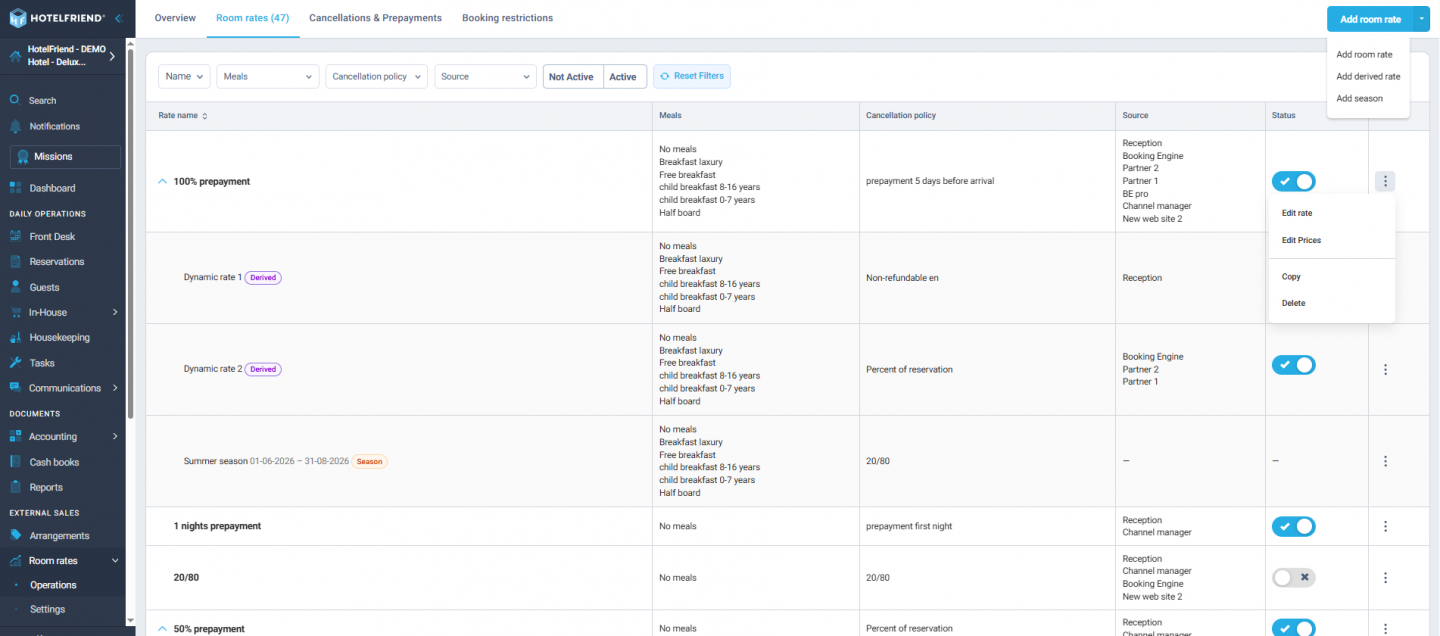
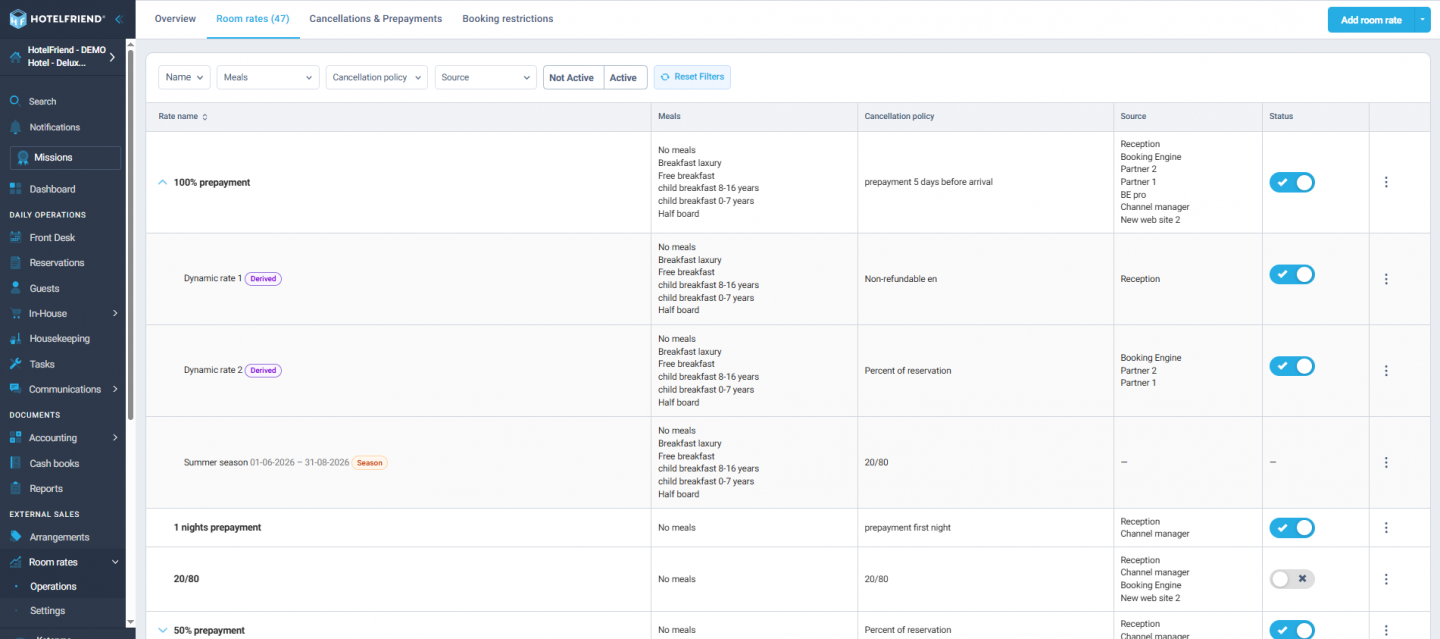
The Rates, Derived Rates, and Seasons grids have been merged into a single Rates page with a parent–child tree view, making it easy to see how rates depend on each other at a glance. "Dynamic rates" are now called Derived Rates. Separate actions are available for managing parent rates versus derived or seasonal children, reducing confusion and extra navigation.
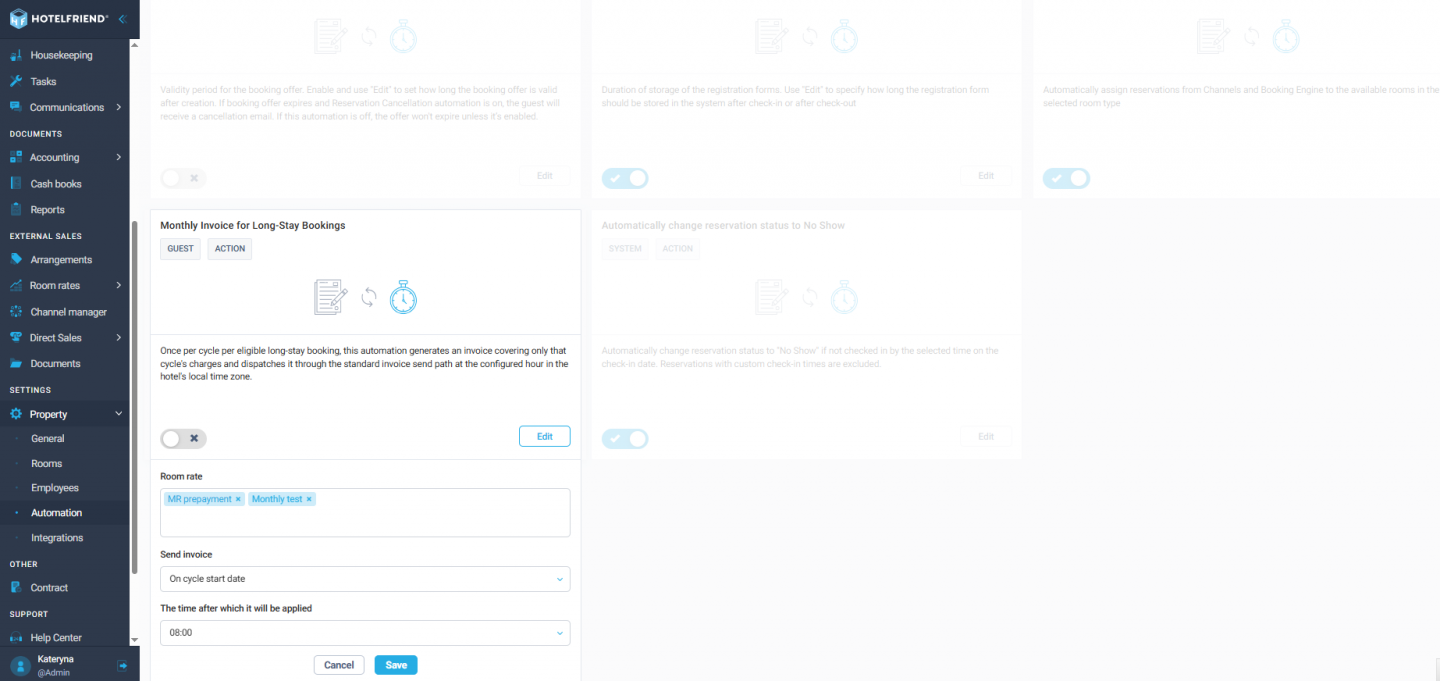
3. Monthly invoice automation for long-stay bookings
A new automation generates and sends invoices on a monthly cycle for extended-stay reservations, following the room rate's invoicing strategy — either a calendar month or a booking-date cycle. A "Send invoice" setting controls timing, anywhere from 5 days before to 5 days after the cycle start. The system handles bookings made in advance and prevents duplicate invoices when the automation runs more than once.
4. Edit accommodation price per night directly from the reservation card
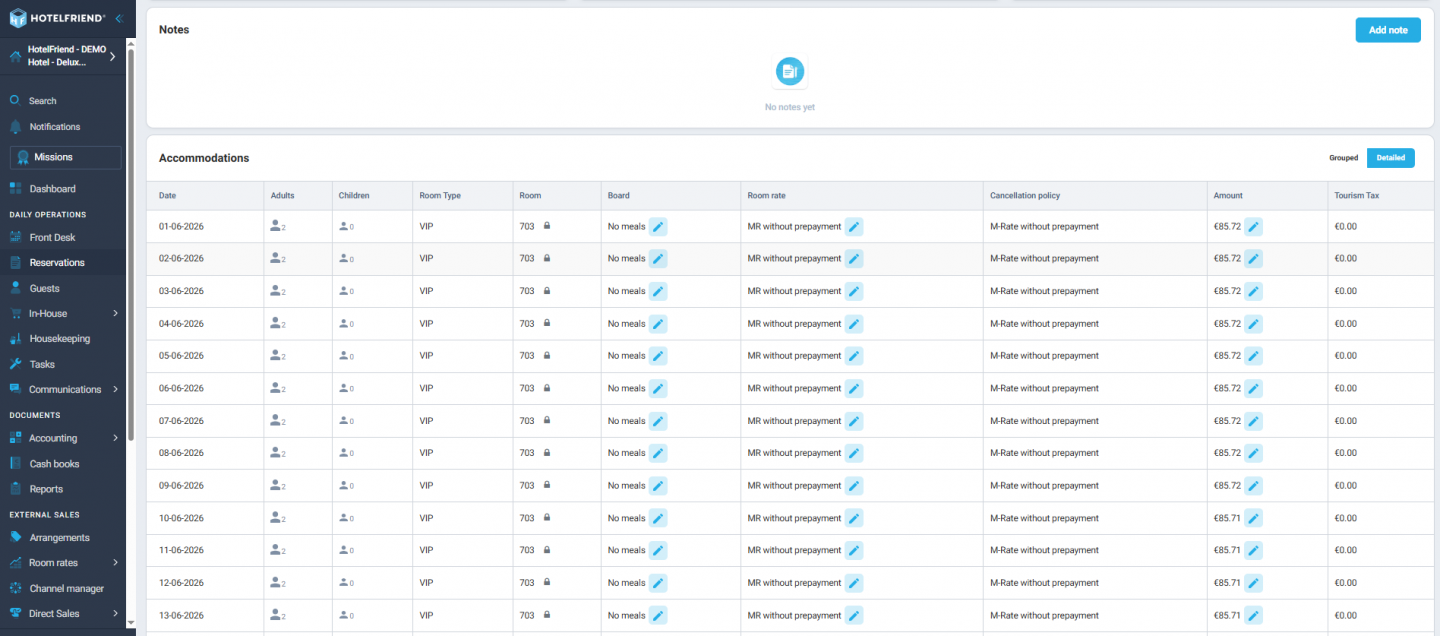
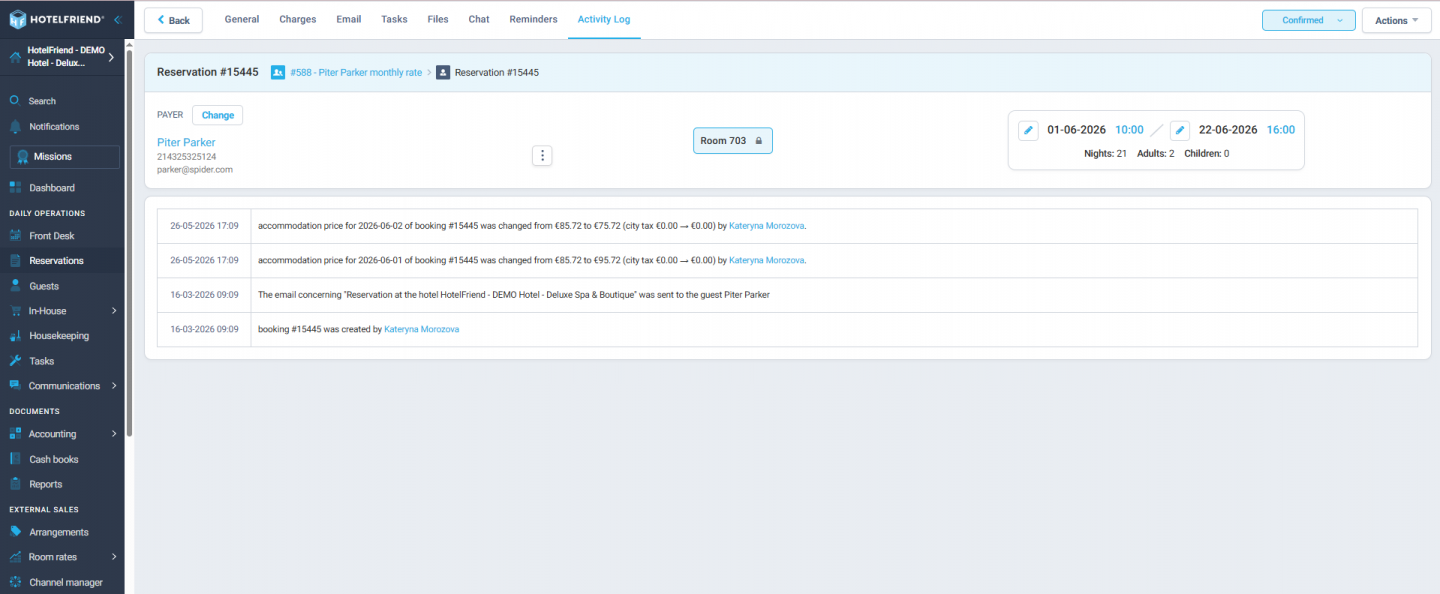
Authorised staff can now edit the nightly accommodation price and rate plan straight from the reservation card, before an invoice is created. City tax is automatically recalculated whenever a change is made, and all edits are recorded in the activity log for full traceability.
5. Service revenue report
A new generic report answers the question "how much did we earn from service X in period Y for guests matching Z?" for any hotel and any service. Filter by date range and reservation category (such as hotel tags) to see total revenue from selected services. Originally developed as a parking-specific report, it has been generalised so any property can use it for any service type.
6. Wider quantity field for services
The Quantity input on Order details and the Add Order modal is now wide enough to display up to 5 characters (for example, 5,123 or 10.12) without the text being cut off. The field adapts cleanly on mobile and small screens.
Every update in this release was shaped by real hotelier feedback, and reflects our commitment to making daily workflows faster and less error-prone. Whether you run a boutique property or a large hotel chain, these improvements are designed to save your team time and reduce manual work across the board. As always, we're grateful for your continued trust in HotelFriend and look forward to bringing you even more improvements in the releases ahead.
Learn more about the System Explore Pricing
